The NVIDIA DGX H200 is a powerful new AI supercomputer designed to tackle the biggest challenges in generative AI and scientific research. Think of it as a data center in a single box, built around up to eight incredibly powerful H200 GPUs. These specialized processors are the heart of the system, enabling it to perform massive numbers of calculations simultaneously to train complex AI models.
However, this staggering performance comes at a cost: a significant demand for electricity and cooling. Understanding the DGX H200 power consumption is the first critical step for any organization looking to deploy this system. This blog provides a clear, factual breakdown of its power needs and the real-world infrastructure requirements to run it effectively.
1. What is the NVIDIA DGX H200 and Why Does It Need So Much Power?
The NVIDIA DGX H200 is not just a simple server with a few graphics cards. It is a fully integrated, factory-built AI supercomputer. It is designed from the ground up to handle the most demanding artificial intelligence and high-performance computing tasks. This purpose-built nature is a key reason behind its significant DGX H200 power consumption.
Key Components Driving Power Demand
- GPUs: The most power-hungry components are its graphics processing units, or GPUs. A single DGX H200 system contains eight NVIDIA H200 Tensor Core GPUs. Each one is a massive, complex processor packed with 141 GB of a fast memory called HBM3e. Making these components perform billions of calculations per second requires a tremendous amount of electrical energy, which is a major contributor to the overall system’s demand.
- CPU: Managing the entire system and preparing data for the GPUs is a pair of powerful central processing units, or CPUs. The NVIDIA DGX H200 uses two Intel Xeon CPUs. These processors are based on an efficient design, but they require a notable amount of power to operate, especially when coordinating the flow of data to all eight GPUs simultaneously.
- Interconnects: Connecting all these components is a specialized network inside the server called NVLink and NVSwitch. Think of this as an incredibly fast, multi-lane data highway that allows the eight GPUs to share information directly with each other. Keeping this data highway running at its maximum speed to avoid bottlenecks also consumes a considerable amount of power, which adds to the total.
- Supporting Hardware: Beyond the major processors, many other parts draw electricity. This includes the system’s memory, solid-state drives (SSDs) for storage, high-speed network cards for communication, and a sophisticated cooling system with multiple fans. Every one of these supporting components adds to the total DGX H200 power consumption, making the entire system a significant load.
This immense power draw is not a flaw but a direct trade-off for unmatched performance. The electricity is converted into raw computational power. This allows the NVIDIA DGX H200 to train massive AI models and solve complex scientific problems in hours or days instead of weeks or months, making the power requirement a necessary investment for leading-edge research.
2. How Much Power Does a Single DGX H200 System Actually Use?
Understanding the power needs of the DGX H200 is crucial for planning. It is not a single number but a range that depends on what the system is doing. Let’s break down the official numbers and what they mean in practice.
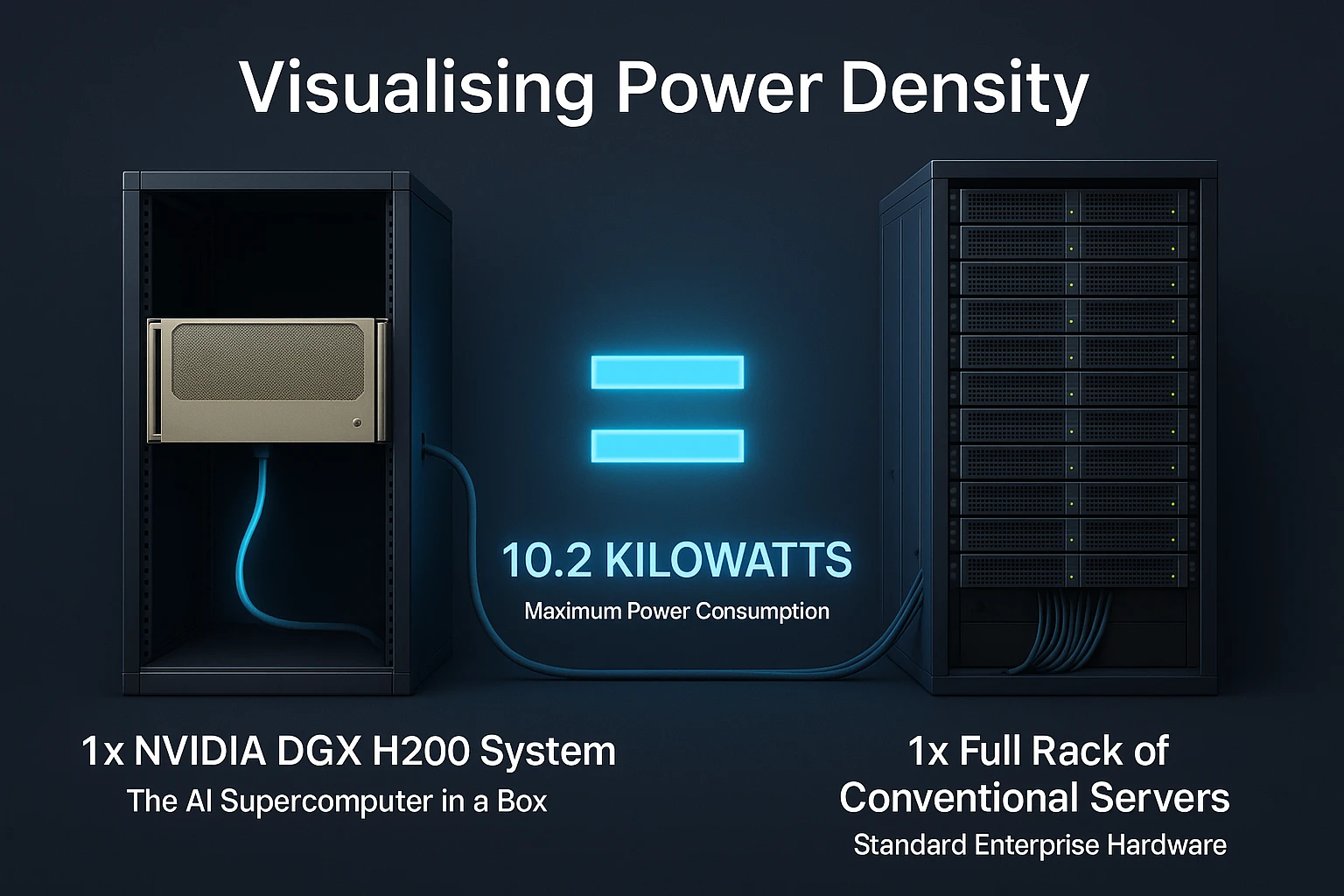
- Defining TDP (Thermal Design Power): To understand power ratings, we first need to know about TDP. TDP stands for Thermal Design Power. It is a measurement of the maximum amount of heat a computer component, or a full system, is expected to generate. This heat comes directly from the electricity it consumes. Therefore, a system’s TDP rating is a very close match to its maximum power consumption, as it tells us how much heat the cooling system must be designed to handle.
- Official Specifications: According to the official NVIDIA DGX H200 datasheet, the entire system has a maximum TDP of 10.2 kW. This means it can draw up to 10,200 watts of electricity when all its components are working at absolute peak performance. This is an exceptionally high amount of power for a single piece of equipment that fits in a standard server rack.
- Operational Range: It is important to know that 10.2 kW is the maximum possible draw. The actual DGX H200 power consumption will vary constantly. During less intensive tasks or idle periods, it will use significantly less power. It will only reach its full 10.2 kW potential during the most demanding phases of AI model training or complex scientific simulations.
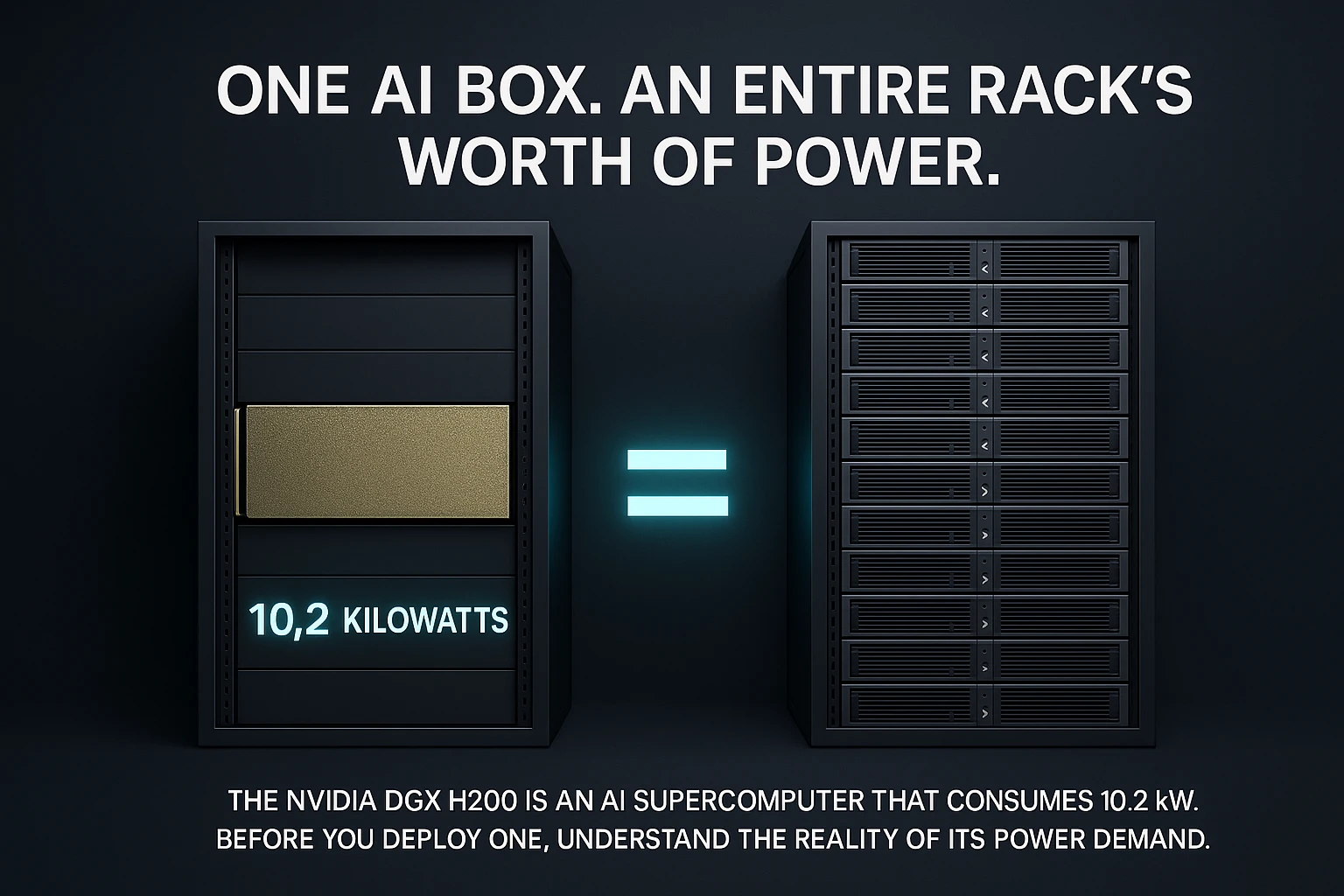
- Comparative Context: To put this number into perspective, the DGX H200 has a similar power footprint to its predecessor, the DGX H100. This shows that NVIDIA has managed to pack more performance into a similar power envelope. For a more traditional comparison, a single DGX H200 can consume as much power as an entire rack full of conventional enterprise servers, highlighting its incredible compute density
| Key Point |
Detail |
| Max TDP/Power |
10.2 Kilowatts (10,200 Watts) |
| Primary Driver |
8x NVIDIA H200 GPUs + NVLink/NVSwitch |
| Comparison |
Similar to DGX H100, but with more performant GPUs |
| Operational Reality |
Actual draw depends on workload (AI training vs. inference) |
3. What Does DGX H200 Power Consumption Mean for Data Center Infrastructure?
The DGX H200 power consumption is not just a number on a spec sheet. It has major implications for the physical infrastructure of a data center. Housing this system requires careful planning for power delivery and cooling from the ground up.
A single DGX H200 cannot be plugged into a standard wall outlet. It requires high voltage, dedicated power circuits. These are typically 200–240-volt lines. More importantly, they use a configuration called three-phase power, which is standard in data centers because it can deliver power more efficiently and safely than typical home wiring.
To understand the scale, we can calculate the electrical current needed. The calculation* is based on a standard data center voltage and a fundamental electrical formula.
We use the power formula for a balanced three-phase system, which is the standard for data center power:
Power (Watts) = √3 × Voltage (V) × Current (I) × Power Factor
For planning purposes, we assume a power factor of 1.0 (a standard practice for a conservative estimate) and use a standard data center voltage of 208V. We can rearrange the formula to solve for current (Amps):
Current (I) = Power (W) / (√3 × Voltage (V) × Power Factor)
Plugging in the values for the DGX H200:
I = 10,200W / (1.732 × 208V × 1)
I = 10,200W / 360.256
I ≈ 28.3 Amps (per phase)
It’s crucial to note that this 28.3A is the per-phase draw on a three-phase circuit. However, for the critical task of sizing the circuit breaker and power whips feeding the rack, data center engineers look at the total current capacity of the circuit itself.
A standard 50A/208V three-phase PDU circuit is designed to deliver up to 50 Amps per phase. The DGX H200’s load of approximately 28.3A per phase means it uses about 57% of the total available current capacity of a 50A circuit.
This calculation is summarized in the table below:
| Parameter |
Value |
Explanation |
| System Power (W) |
10,200 W |
Maximum power draw of the DGX H200 system. |
| Voltage (V) |
208 V |
Standard line-to-line voltage in US data centers. |
| Power Factor |
1.0 |
A simplifying assumption for a conservative calculation. |
| √3 (Constant) |
~1.732 |
Mathematical constant for three-phase power calculations. |
| Calculation |
10,200 / (1.732 * 208 * 1) |
The formula to solve for current. |
| Result (Amps per Phase) |
~28.3 A |
The current draw on each of the three power phases. |
| Standard PDU Circuit |
50 A |
The amperage rating of a common data center rack PDU. |
| Circuit Capacity Used |
~57% |
The portion of the 50A circuit’s capacity consumed. |
The system must be connected using a specialized Power Distribution Unit (PDU). These PDUs are designed for three-phase power and feature high-output connectors, most commonly C19 outlets. These outlets and their corresponding cables are heavier duty than standard computer power cords to safely handle the high current.
As analyzed by experts in data center infrastructure, these requirements mean that supporting such high-density racks is one of the biggest challenges facing modern data centers today.
Disclaimer: *The calculation above provides a high-level estimate for initial planning purposes. It relies on simplified assumptions, including a power factor of 1.0 and a steady-state load of 10.2 kW. Real-world power draw will vary based on workload fluctuations, power supply efficiency, and actual input voltage.
4. How Do You Cool a 10.2 kW Rack Unit?
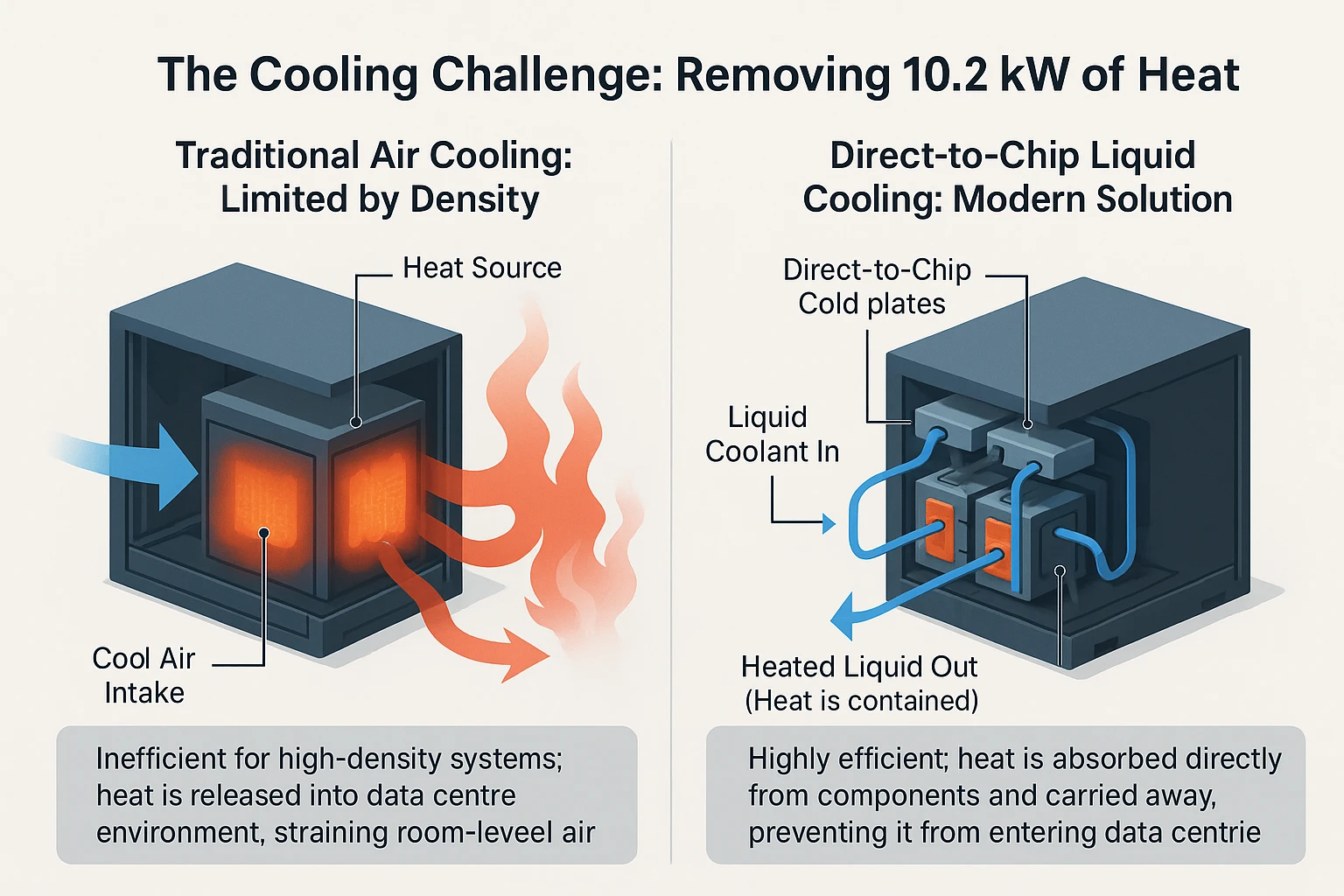
Managing the heat from a DGX H200 is as critical as supplying it with power. The first law of thermodynamics is key here. All energy consumed by the computer is converted into heat. This means the DGX H200 power consumption of 10.2 kW directly equals 10.2 kW of heat that must be continuously removed to prevent the system from overheating and shutting down.
Air Cooling Challenges:
Traditional air cooling faces big challenges with this density. The system pulls cool air in through the front and exhausts hot air out the back. It requires a massive and constant flow of cool air to function properly. Any disruption or inefficiency in this airflow can lead to immediate overheating and potential damage to the expensive components.
The problem grows with scale. A standard server rack holding just a few of these systems could generate over 40 kW of heat. This level of density is far beyond what standard room air conditioning can typically handle. It often requires a hot aisle/cold aisle containment setup to even attempt to manage the temperatures effectively, and even that has limits.
Liquid Cooling – The New Standard:
- Direct Chip Cooling: For the DGX H200, liquid cooling is the modern solution. The most effective method is called direct-to-chip (D2C) cooling. This involves attaching cold plates directly onto the hottest components, the GPUs and CPUs. A liquid coolant, usually water, flows through these plates, absorbing heat much more efficiently than air ever could.
- Rear Door Heat Exchangers (RDHx): Another common liquid cooling method is the Rear Door Heat Exchanger (RDHx). This is a radiator unit that attaches to the back of the server rack. As the hot air from the servers passes through this radiator, the coils filled with coolant capture the heat before it ever enters the data room.
Adopting liquid cooling is a major infrastructure decision. It is not a simple upgrade. It requires installing specialized plumbing throughout the data center, including manifolds (distribution units), pumps, and large external chillers to reject all the captured heat. This represents a significant investment but is necessary for high-performance computing.
As noted by data center experts, this shift to liquid-based cooling is essential for supporting the next generation of compute-intensive hardware.
| Key Point |
Implication and Requirement |
| Heat Output |
10.2 kW of heat per system must be dissipated. |
| Cooling Method |
Liquid cooling is strongly recommended (Direct-to-Chip) for efficiency and performance. |
| Airflow Needs |
If air-cooled, requires massive, directed airflow (front-to-back) in a cold aisle/hot aisle containment setup. |
| Rack Density |
A full rack of DGX systems would require specialized high-density cooling solutions. |
5. Beyond a Single System: What About a Full DGX H200 Rack?
The true potential of this technology is realized when multiple systems are combined. The computational power of a single NVIDIA DGX H200 is impressive, but modern AI challenges require clusters of these systems working in unison. This is where the concept of scaling comes into play.
- The DGX SuperPOD: NVIDIA addresses this need with its DGX SuperPOD architecture. A SuperPOD is a full, turnkey AI data center infrastructure. It integrates many individual NVIDIA DGX H200 units into a single, massive computing cluster. This allows researchers to train giant AI models that are far too large for any single machine to handle.
- Infrastructure at Scale: The infrastructure demand grows dramatically at this scale. A standard rack can hold multiple DGX systems. A single rack containing eight DGX H200 units would have a combined potential power draw and heat output of approximately 82 kW. This immense density creates a significant challenge for power distribution and cooling systems that must be designed to handle this concentrated load.
- Holistic Planning: Planning for a full cluster requires a holistic view. It is not just about the servers. Data center planners must also account for the power and cooling needs of the high-speed networking switches that connect them, like NVIDIA Quantum-2 InfiniBand. Additionally, storage nodes and control plane servers are essential parts of a complete AI supercomputing pod. All these elements add to the total infrastructure requirement.
6. Is the DGX H200’s Power Consumption Worth It?
This is the most important question for any organization considering this investment. The high DGX H200 power consumption is a significant factor, but it must be evaluated against the immense value the system delivers. The answer lies in understanding efficiency, not just raw power draw.
- Performance per Watt: While the absolute number is high, the NVIDIA DGX H200 is engineered for exceptional efficiency. This is measured as “performance per watt.” It means that for every kilowatt-hour of electricity consumed, the system completes a far greater amount of AI computational work compared to older systems or less specialized alternatives. You are getting a much higher return on your energy investment.
Here is a concise breakdown of the performance per watt for a DGX H200 system.
- Theoretical Peak: The system can deliver a peak of ~31.6 PetaFLOPS of FP8 performance while drawing approximately 10.2 kW. This yields a theoretical peak performance per watt of ~3.1 TFLOPS/W for the entire system.
- Real-World Benchmark (MLPerf): In industry-standard AI training benchmarks, the DGX H200 demonstrates a ~2x generational efficiency gain over the previous DGX H100. It completes the same AI training tasks in less time and using less total energy, meaning it delivers significantly more work per kilowatt-hour.
In short, the DGX H200 provides roughly twice the AI computational work per watt compared to the previous generation.
- Total Cost of Ownership (TCO): For large enterprises, the decision is framed by Total Cost of Ownership (TCO). TCO includes the initial hardware cost plus ongoing expenses like electricity. While the DGX H200 power consumption contributes to operational cost, its unparalleled speed drastically reduces the time needed to train AI models. Completing a project in hours instead of days or weeks saves on labor, cloud computing rentals, and accelerates time-to-market for new products, ultimately justifying the power expenditure.
Here is a concise TCO breakdown for a DGX H200 system:
Initial Hardware Cost: Approximately $200,000 – $250,000+ for the base system.
Annual Operational Cost (Estimate):
- Power: ~10.2 kW running 24/7 at $0.15/kWh ≈ $13,400/year
- Cooling: Adds ~30-50% to power cost ≈ $4,000 – $6,700/year
- Total Estimated Annual OpEx: ~$17,400 – $20,100
- The Target Audience: The power requirement naturally defines the target user. The NVIDIA DGX H200 is not designed for every company. It is a specialized tool for a specific audience. This includes large enterprises and premier research institutions that are building foundational AI models or tackling grand scientific challenges. For these users, achieving a result first and fastest is the ultimate priority, making the power cost a necessary and worthwhile investment.
Conclusion: Powering the Next Wave of AI
In summary, the NVIDIA DGX H200 represents the pinnacle of AI infrastructure, delivering unprecedented computational power for the most demanding workloads. However, this capability comes with a significant requirement: a DGX H200 power consumption of 10.2 kW that demands a modern, robust, and often liquid-cooled data center environment. This is not a system that can be simply plugged into a standard office server closet.
Successful deployment requires careful and collaborative upfront planning. Integrating this system into a data center is a multidisciplinary effort that must involve facilities managers, electrical engineers, and cooling specialists from the very beginning. This ensures the physical infrastructure—from power circuits and PDUs to cooling systems—is designed to support the immense density and heat output.
Looking ahead, managing this extreme power density is the defining challenge and opportunity for next-generation data centers. As AI models continue to grow in size and complexity, the infrastructure that supports them must evolve in tandem. The NVIDIA DGX H200 is a clear signal of the future, where efficient power delivery and advanced thermal management become just as critical to innovation as the silicon itself.




Unregistered User
It seems you are not registered on this platform. Sign up in order to submit a comment.
Sign up now